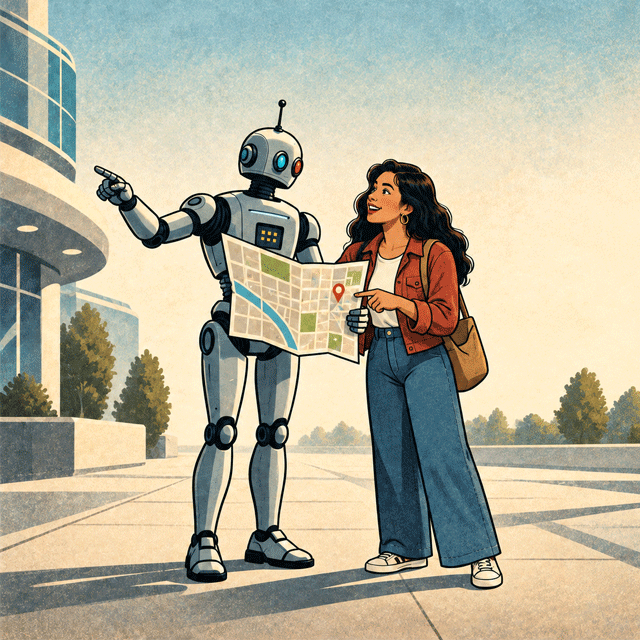
AI search is changing how customers discover local businesses. But new research suggests something important for small business owners:
Being recommended by AI doesn’t mean the search is over.
In fact, consumers frequently take an AI recommendation and then check Google, Google Maps, social media, and the business’s own website before making a decision.
That means your Google Business Profile and website may be more important in the age of AI, not less.
AI IS BECOMING PART OF LOCAL SEARCH
Consumers are increasingly asking ChatGPT, Gemini, and other AI tools questions such as:
- “Find a good medspa near Los Gatos.”
- “Who can help my parents downsize in San Jose?”
- “What’s a well-reviewed estate attorney near me?”
- “Where can I find a salon that specializes in curly hair?”
BrightLocal found that 31% of consumers now use AI at least monthly for local business recommendations, and 23% used an AI tool somewhere during their most recent local business search.
AI clearly matters.
But here’s the part small businesses shouldn’t overlook…
CUSTOMERS ARE DOUBLE-CHECKING AI
An eMarketer analysis of BrightLocal’s 2026 consumer research found that 75% of consumers who used AI to find a local business checked Google or Google Maps before contacting the business.
The chart gets even more interesting when looking specifically at people who started their search with an AI tool:
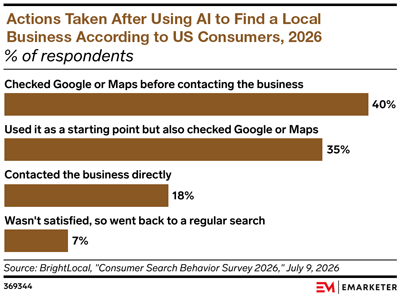
- 35% used it as a starting point but also checked Google business listings
- 18% contacted the business directly
- 7% weren’t satisfied so went back to regular search
Source: eMarketer analysis of BrightLocal consumer research, 2026.
In other words, AI is often creating the shortlist. Consumers are still doing their homework before making the call.
That’s particularly important for local businesses, where customers want to confirm things AI may not present completely or accurately:
- Is the business really nearby?
- What are its current hours?
- Does it have good reviews?
- What does the business actually specialize in?
- Does the website look professional and current?
- Can I see photos, staff credentials, pricing, services, or examples of their work?
- How do I contact or book them?
YOUR GOOGLE BUSINESS PROFILE IS STILL YOUR LOCAL STOREFRONT
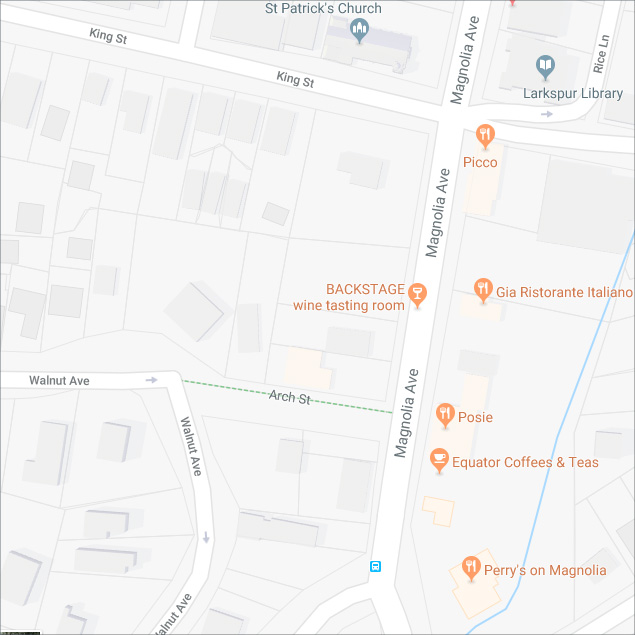
Google describes its Business Profile as a business’s local storefront on Google Search and Maps. It can contain your location, hours, phone number, website, photos, services, reviews, booking links, and other information customers use to make a decision.
So imagine ChatGPT recommends your business.
The customer then Googles your name.
What happens next?
An incomplete profile, outdated hours, poor photos, unanswered reviews, or inconsistent contact information can quickly undermine the confidence AI just helped create.
A strong Google Business Profile should include:
- Complete and accurate contact information
- Current business hours
- Correct service categories
- Your website and appointment links
- Good-quality current photos
- Clearly described services
- A healthy stream of recent reviews
- Responses to customer reviews
Google also states that complete and accurate Business Profile information improves a business’s ability to appear in relevant local searches.
AND DON’T NEGLECT YOUR WEBSITE
There’s another reason your website remains critical.
A September 2026 BrightLocal study analyzed more than 200,000 local AI searches and found that 93% of the unique domains AI systems used as sources were business websites. Business websites accounted for 42% of all citations.
That’s a fairly compelling answer to anyone wondering whether websites still matter in an AI-search world.
Your website isn’t simply where someone lands after finding you on Google.
It can also be part of the information AI uses to understand and recommend your business in the first place.
A robust local-business website should clearly explain:
- What you do
- Where you provide your services
- Who you serve
- Your specific specialties
- Your experience and credentials
- Frequently asked questions
- Why someone should choose you
- How to contact, schedule, or visit you
Specific, useful content gives both search engines and AI considerably more to work with than a few generic paragraphs of marketing copy.
And because BrightLocal found that 73% of local business searches begin on a mobile phone, your website also needs to be fast, readable, and easy to contact from a small screen.
AI, GOOGLE, AND YOUR WEBSITE WORK TOGETHER
The old customer journey might have looked like this:
Google → Website → Call
The emerging journey may look more like:
ChatGPT → Google → Reviews → Website → Call
Or:
Google AI → Maps → Website → Appointment
Or any number of other combinations.
BrightLocal found that 75% of consumers used more than one channel during their most recent search for a local business.
That’s the bigger lesson.
AI isn’t necessarily replacing Google or your website. It’s becoming another doorway into a more complicated customer journey.
WHAT IT ALL MEANS
Yes, your business should be paying attention to ChatGPT, Gemini, Google AI, and other emerging search tools.
But don’t make the mistake of focusing on AI visibility while neglecting the places customers go to verify what AI tells them.
Keep your Google Business Profile complete and current.
Keep building reviews.
And maintain a robust website that clearly explains what you do, where you do it, and why someone should trust you to do it.
AI may introduce your business, but Google and your website still determine whether the customer chooses you.