HOW GOOGLE MAPS DISPLAYS YOUR BUSINESS

Recently our client Hayes Valley Medical and Esthetics moved to a gorgeous new location in Marin. When promoting their grand opening we noticed their Google Map pin, which Google generates automatically for businesses, did not show along with other nearby businesses on larger map views. This is because Google algorithmically determines when a business location shows on Google Maps, and it is based on factors like how long it has been at the current address as well as the number of Google reviews for the business. (HINT: Ask your good customers for Google reviews!) So you do not have control over when your Place Label shows as the user zooms in on your general location on Google Maps.

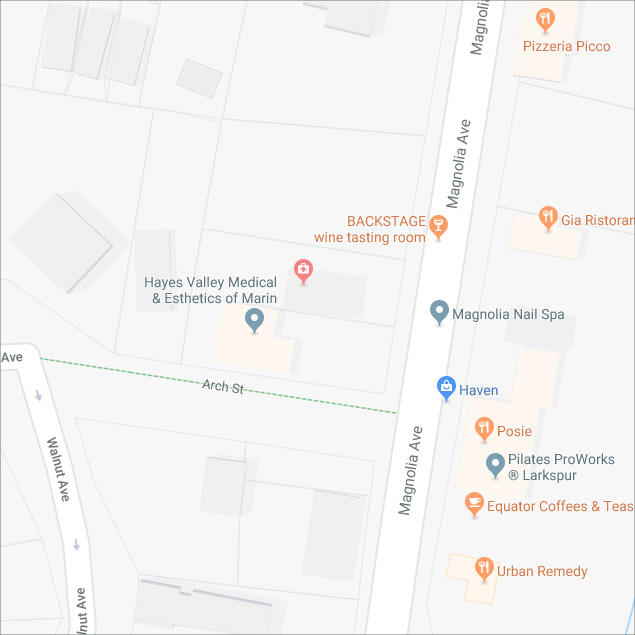
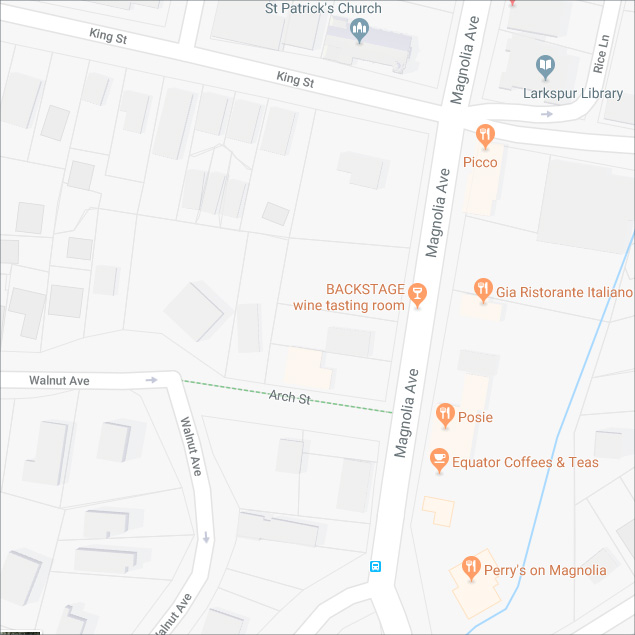
The below screen captures show that at a larger scale, HVME does not show until you zoom in closely on their location.


google map hvme not showing


Zoom in closer and it does show:


google map hvme showing


WHY SECURE SITES ARE NOW A BIG DEAL

Is your site secure?


IF YOUR BUSINESS HAS A WEBSITE AND YOU CARE ABOUT GOOGLE SEARCH, YOU NEED TO KNOW THIS. Yes, all caps!

I know this is the type of detailed techie info to which many of our clients are averse.  But it’s key.

The main things to know are that we’ve got your back, we can take care of this, and it’s not going to cost you a lot.  Good?

Extra good news…if you are one of our clients and your site is hosted by our partner, NeuronLinks, or our MPS server, the hard part is being done for you – FOR FREE!  Thank you, Raj and John, for including this extra as part of your clients’ web hosting package.

And super good news…only businesses with credible websites will be making these updates.  (If and when someone tells them about the issue.)  By implementing these changes toot-sweet, you could get some google bounce while non-HTTPS sites will be penalized.

We’ll be reaching out to our clients, if we have not done so already, or, please contact John at johnp@metapix.us or 408 252-8664.  Many of our clients have just asked us to “handle this” – we will certainly do so, and can quote for any time spent on site review and/or coding before we start if you wish.

Here’s the details (it will be easiest to understand if you use a desktop or laptop computer)…

(2018 update: The info below and the graphics are captured from the Chrome browser on a desktop on date blog was posted. All browsers have changed the way they display security info. Now, if you see an icon with a locked padlock, you can assume the web page is secure. If you see an icon displaying an exclamation point, an open padlock, a circled i, or the words, “not secure”, you do need to read further for the fix.)

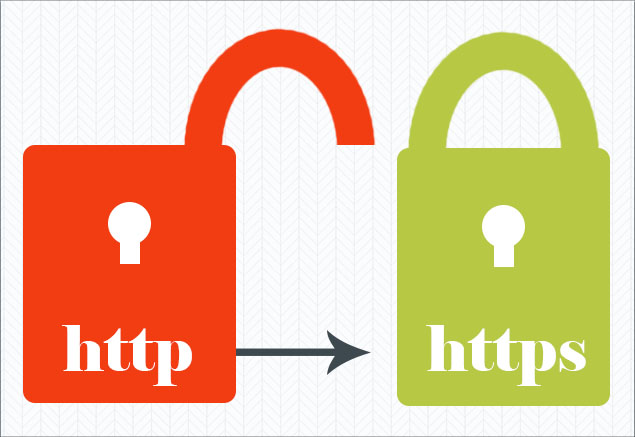
Secure Web Site https

Here’s a view of a secure site. (And some pretty photos of great hair to break up the tech details.  You’re welcome.)

If you click to every page of the Halo site, you’ll see an icon of a locked padlock to the left of the domain name. It shows this is a secure site because it’s host is using SSL Certification* and it’s using the HTTPS secure website protocol.**

If your site shows a locked padlock icon on each page, you can stop reading – you’re good.

This is a big deal because soon Google will be flagging and penalizing any website that is not using SSL Certification for their websites—that is, if links don’t start with https://.

If each page of your site is not secure, browsers may show warnings that make it seem your site is not safe, especially when forms are displayed. And there will be a reduction in your website’s ranking in Google organic (non-paid-for) search results.

From here, two steps need be taken.  1) set up of SSL certification on your server and 2) review and coding of your site to set up HTTPS secure website protocol.

1)

If your website is hosted by a company other than Neuronlinks or MPS, you’ll need to check whether your server is already supporting SSL. It’s easy to check, just type in “https://” followed by your domain name. You will immediately see the green lock if SSL has been set up (if you are on Chrome on a desktop/laptop.) If it has not you will see this message:
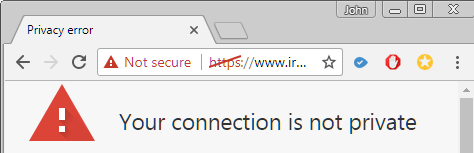
https not set up


You’ll need to review each page of your site – not just your home page.  Contact John if you’d like us to do this site review for you.

If you go to your website, in Chrome, and see this little iconnon-secure website icon it means that page is not secure and will be docked by Google soon. You’ll need to ask your web hosting company to switch your site to SSL. Good hosting companies should be offering this free of charge.
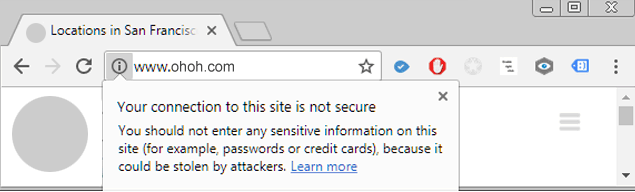
non-secure website notification


2)

Once your site has SSL certification, the next step is to review your site for HTTP issues and make corrections.  And then add code to move to HTTPS.  Our charge for this work will vary depending upon how your site is coded, if you have separate blog, store, database, and/or mobile site, and how many pages on your site.

If you’d like help in updating your site, please contact John at johnp@metapix.us or call 408 252-8664.

*SSL Certificates are small data files that digitally bind a cryptographic key to an organization’s details. More info at https://en.wikipedia.org/wiki/Certificate_authority.

**HTTPS secure website protocol – “S” for secure.  More info at https://en.wikipedia.org/wiki/HTTPS.
GOOGLE MY BUSINESS LISTINGS

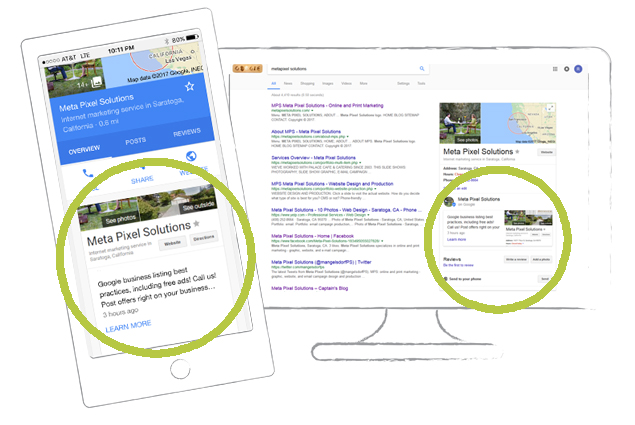
+ Free ad from Google!*

Google My Business Listings are free and an essential component of any modern company’s online marketing.

  • Being listed gives you a boost in organic (un-paid-for) search results and therefore leads to more traffic.
  • You can set up multiple service areas if you have more than one location so your customer sees the closest location when they look for you.
  • Connects directly to Google Maps so your customers can easily find your location on their mobile devices.
  • Makes it easy for your customers to leave reviews for your business.
  • Adds credibility to your business when your business is properly listed, with hours, photos, videos, service descriptions, etc.

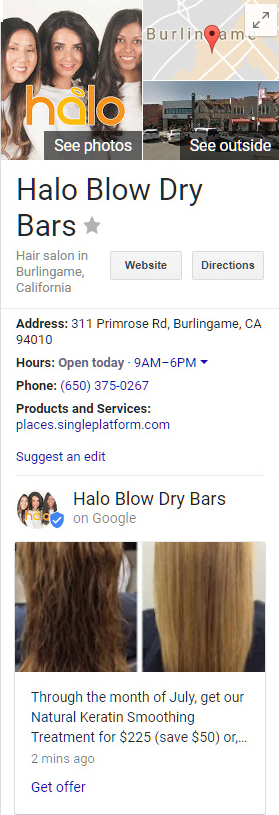
Google My Business Listings show on the right side of a Google search engine page.  Please see the sample listing For Halo Blow Dry Bars.

*Now, Google is offering a free ad posts which shows within your listing.  Please see the Keratin ad on the sample listing.

Ads can be up to 300 words, include a graphic, and a call to action: “Learn more,” “Reserve,” “Sign up,” “Buy” or “Get offer.”

Ads are designed to be dropped from the listing after one week, but if you want an ad to run continually, we’ve got a work-around to do so.

We manage the Google My Business Listings for several clients and are contacting them about adding a promotion.

Please contact John to set up your business listing – or to add one of these new promotional resources to your existing listing.


HOW TO VIDEO

Video for Websites

Yes, getting video on your site can help search engine optimization (SEO) and visitor experience, but done wrong, it can hurt SEO and the impression you give to visitors.  This post will hopefully answer frequently asked questions about using video on a website.

As soon as you have a video for your site, also post it to your YouTube Channel.

CODE OPTIONS

The best code to use to play the video on your site is your own.  But this requires development time and money.

Many developers save time and money by using YouTube’s free embed code.  It’s very fast to copy and paste this into your site, but there’s a big downside.  Once the video finishes playing, recommendations on other related videos hosted on YouTube will be displayed.  This can drive visitors away from your site, and even worse, it can recommend video by your competitors, driving visitors to them.

As you can see, we recommend avoiding YouTube’s embed code for a good reason.  But we know that budget also has to be taken into account.  One idea, if budget is an issue, is to use the YouTube embed code and then as soon as the budget allows, switch to your own site’s code.

WAYS TO USE VIDEO ON YOUR SITE

We’ve ranked five main ways video can be used on a website – number one is the optimal and most beneficial – to number five, the anti-SEO, bad, bad way.

ONE – OPTIMAL

Develop your own, original, and unique videos, upload them to your server, and place them on your site using either of the code options mentioned above.

Unique content reigns as the king of SEO due to the high ranking search engines (including YouTube) give it.  It’s also going to provide your visitors with a true idea of your business and add credibility.  Of course, the downside is the high cost of video production, although with an iPhone/Pad and basic video editing software, just about anyone can produce their own video content.

TWO – GOOD

Use video with permission, upload them to your server, and place them on your site using either of the code options mentioned above.

An example of this is using the video created by a vendor and downloaded to your possession with permission – say with granted access to their brand box.  Since the content is not unique, the SEO value is slim.*  But it is still valuable for user experience and adds credibility and caché to your site.

THREE – NOT SO GOOD

Use YouTube video without permission. Using YouTube’s “embed” feature, grab the video code and place it on your website. (Note that some video content producers turn off the embed feature completely so this might not even be possible.)

This opens you to lawsuits – or at least a cease and desist letter. YouTube does actually seek out and punish copyright infringement.  Since the content is not unique, the SEO value is slim.*  You’d have to feel strongly that the content will have great user value before following this path.

FOUR – NOT SO GOOD, AND COMPLICATED

Use non-YouTube video without permission. It is possible to “lift” video off of other websites, but it usually is not easy and requires advanced HTML and video skills.

Again, this opens you to lawsuits – or at least a cease and desist letter.  You’d have to feel really strongly that the content will have great user value before following this path.

FIVE – DON’T DO IT!

Linking to the video on another site, including YouTube.

By doing this, you are driving visitors off your site.  Who knows what they may be distracted by on this other site – including your competition.  You also have no control over the page containing the video.  If the video’s URL is changed, you’d have a dead link on your site.  If the video is moved, you could lose the content.  Out-going links have no SEO value.

Did we miss something?  Still confused?  Ask John.

*One way to help SEO if you go this route is to put the video on a separate web page, rather than putting it in-line with other content.  At the least, that additional page will increase the size of your site which can help SEO.


YOU’RE GOING TO NEED TO KNOW THIS TO UNDERSTAND NEW DOMAIN NAME STRUCTURES

(2025 Doing some housekeeping to remove any outdated info. This is mostly now just funny old info.)

Available domain extensions are no longer just .com, .net, .us, .org, etc. Some recently made available include: .movie, .coupons, .soccer, .catering, .fyi, .ski, .men, .miami — more each day. 

As an internet user, don’t be confused if you see a website address written with a full–word after the dot. That familiar three–letter extension or two–letter country code extension will prevail, but websites are no longer limited to just these. 

As a business owner, you have some choices to make. This is the time to review all available domains and extensions and be aware of what will soon become available so you can grab your perfect extension. 

For example, a catering client of ours purchased a .catering domain to use on print marketing. It will forward to their main website. 

Some reasons to consider specific extensions are to: 

• help with print marketing — easier to remember, more specific website addresses, 

• prevent your competition or other businesses from owning it (yes, they are doing it to you), 

• show you are current with the times, and 

• own your business’ perfect domain in case search engines change their algorithms in the future. 

If you wish to find out what domains extensions are soon becoming available, do a search engine search for “new domain watcher” and to find out what extensions are already available, do a search engine search for “domain availability”. There are many tools out there to help. 

Let John know if you’d like us to work on a domain plan for you. We’d review all your currently registered domains and give recommendations on what to keep and what to let lapse. We’d make sure that the correct redirection was put on your domains so you are not hurting your SEO. And we’d work on a plan for getting a new domain extension(s) which will best suit your business and goals.