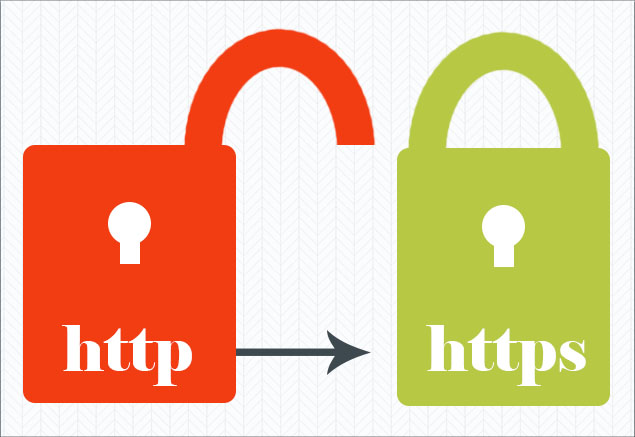
WHY SECURE SITES ARE NOW A BIG DEAL

Is your site secure?


IF YOUR BUSINESS HAS A WEBSITE AND YOU CARE ABOUT GOOGLE SEARCH, YOU NEED TO KNOW THIS. Yes, all caps!

I know this is the type of detailed techie info to which many of our clients are averse.  But it’s key.

The main things to know are that we’ve got your back, we can take care of this, and it’s not going to cost you a lot.  Good?

Extra good news…if you are one of our clients and your site is hosted by our partner, NeuronLinks, or our MPS server, the hard part is being done for you – FOR FREE!  Thank you, Raj and John, for including this extra as part of your clients’ web hosting package.

And super good news…only businesses with credible websites will be making these updates.  (If and when someone tells them about the issue.)  By implementing these changes toot-sweet, you could get some google bounce while non-HTTPS sites will be penalized.

We’ll be reaching out to our clients, if we have not done so already, or, please contact John at johnp@metapix.us or 408 252-8664.  Many of our clients have just asked us to “handle this” – we will certainly do so, and can quote for any time spent on site review and/or coding before we start if you wish.

Here’s the details (it will be easiest to understand if you use a desktop or laptop computer)…

(2018 update: The info below and the graphics are captured from the Chrome browser on a desktop on date blog was posted. All browsers have changed the way they display security info. Now, if you see an icon with a locked padlock, you can assume the web page is secure. If you see an icon displaying an exclamation point, an open padlock, a circled i, or the words, “not secure”, you do need to read further for the fix.)

Secure Web Site https

Here’s a view of a secure site. (And some pretty photos of great hair to break up the tech details.  You’re welcome.)

If you click to every page of the Halo site, you’ll see an icon of a locked padlock to the left of the domain name. It shows this is a secure site because it’s host is using SSL Certification* and it’s using the HTTPS secure website protocol.**

If your site shows a locked padlock icon on each page, you can stop reading – you’re good.

This is a big deal because soon Google will be flagging and penalizing any website that is not using SSL Certification for their websites—that is, if links don’t start with https://.

If each page of your site is not secure, browsers may show warnings that make it seem your site is not safe, especially when forms are displayed. And there will be a reduction in your website’s ranking in Google organic (non-paid-for) search results.

From here, two steps need be taken.  1) set up of SSL certification on your server and 2) review and coding of your site to set up HTTPS secure website protocol.

1)

If your website is hosted by a company other than Neuronlinks or MPS, you’ll need to check whether your server is already supporting SSL. It’s easy to check, just type in “https://” followed by your domain name. You will immediately see the green lock if SSL has been set up (if you are on Chrome on a desktop/laptop.) If it has not you will see this message:
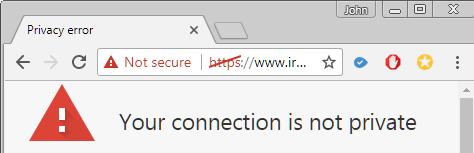
https not set up


You’ll need to review each page of your site – not just your home page.  Contact John if you’d like us to do this site review for you.

If you go to your website, in Chrome, and see this little iconnon-secure website icon it means that page is not secure and will be docked by Google soon. You’ll need to ask your web hosting company to switch your site to SSL. Good hosting companies should be offering this free of charge.
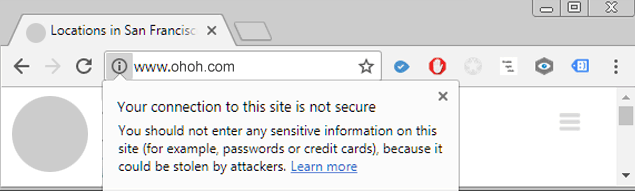
non-secure website notification


2)

Once your site has SSL certification, the next step is to review your site for HTTP issues and make corrections.  And then add code to move to HTTPS.  Our charge for this work will vary depending upon how your site is coded, if you have separate blog, store, database, and/or mobile site, and how many pages on your site.

If you’d like help in updating your site, please contact John at johnp@metapix.us or call 408 252-8664.

*SSL Certificates are small data files that digitally bind a cryptographic key to an organization’s details. More info at https://en.wikipedia.org/wiki/Certificate_authority.

**HTTPS secure website protocol – “S” for secure.  More info at https://en.wikipedia.org/wiki/HTTPS.
AFTER THE SPA PHOTO SHOOT

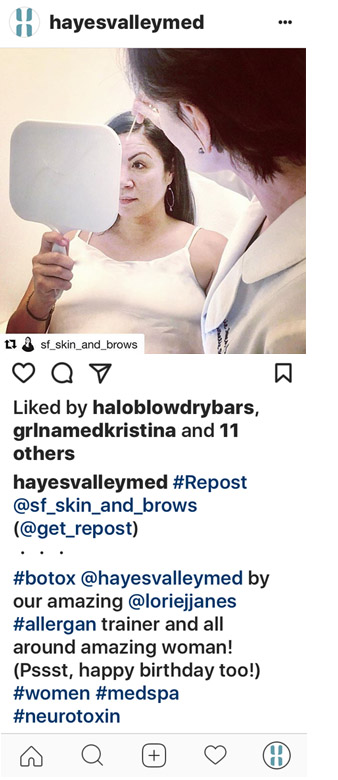
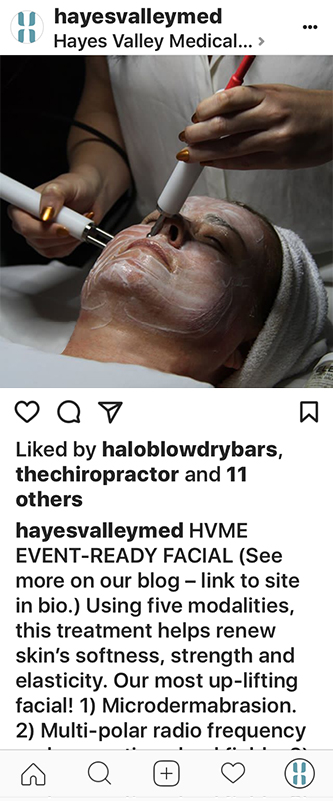
Last month, our client Hayes Valley Medical & Esthetics invited us to their San Francisco location to try their new facial – Event-Ready Facial.  It was quite an experience, at least for me as I just lay there, while John took the photos and Licensed Esthetician, Holly Byerly modeled beautifully while working.

(BTW, fab manicure, Holly!)

This experience was unlike any facial I’d experienced before – more like a treatment visibly minimizing wrinkles and firming my skin.  And unlike any previous facial, it really is event-ready – no redness or splotchiness.

Photos have been used as a blog post promoting the facial, an instagram post (left), and will be Facebooked too.

Yes, many people will see me at absolutely the worst possible angle – neck and nostrils!  I’m not ready to add model to my resume, but if anyone wants to give me a luxurious, clinically-sound, and results-driven facial, I don’t have an issue with a few unflattering photos.


Save

Save

Save


INSTAGRAM RE-POST

Instagram Repost

Instagram does not have a share or repost feature as their intent is that content be original, rather than the same material shared around. There’s two ways you can repost on Instagram, with or without an app.


Instagram Re-poster App

WITH AN APP

Visit Google Play or the App Store from your smartphone and search for “repost for instagram” or “repost for instagram”. You’ll get a lot of options – read the reviews and pick the one that works for you. Free apps have been fine for us.

Directions will vary for each app and type of phone, but this should give you enough info to work it out. 

Once you have the app installed:

1 – Be sure you are logged into the Instagram account to which you wish to post! If yes, go to #2 below. If not, you’ll need to be sure to memorize the Instagram handle of the post you wish to repost, and when you are logged into your correct Instagram account, search for the handle of the poster, and find the post you wish to repost.

2 – Click the three little dots at the top/right of the post – you’ll get a drop-down with several options if the poster’s settings allow a re-post.  Select “Copy Link”.

3 – Open your repost app and the post you just copied will be waiting for you at the top of the list. Click on it.

4 – You’ll have options for where to put the attribution mark and how it will look, whether to copy the original poster’s text as well as the photo (you’ll get to edit the text at the next step), and whether to post to your story or feed.

5 – You’ll be in Instagram now. If you wish, add multiple photos or videos to the post or apply a filter. Go to “next”.

6 – If you copied the text from the original poster, double tap the “caption” area and paste. Or write your own copy. Either way, you can edit the text or add hashtags.

7 – Add your location if you wish, and share.


Instagram Repost No App
 
NO APP

(Technically, not a re-post, but it gets the job done.)

On your phone, do a screen capture of the post.

Note the poster’s Instagram handle.

Open Instagram and use the cropping feature to crop out everything except the photo.

Then post as you do usually. Thank the poster and use a @hashtag with their Instagram handle.

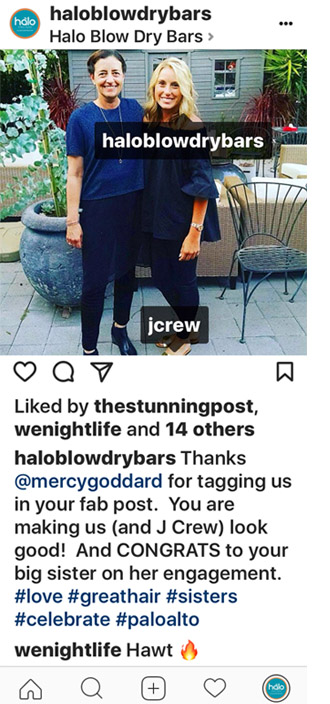
(If you want to be re-posted, be a brand ambassador and do as this poster, @mercygoddard did – be a brand’s dream Instagrammer. She tagged the photo with our clients name so it was easy for me to find the post. Plus she made a great photo that fits our client’s brand and looks beautiful with her Halo Fab Blow Out.)


TIMING YOUR EMAIL CAMPAIGN LAUNCHES

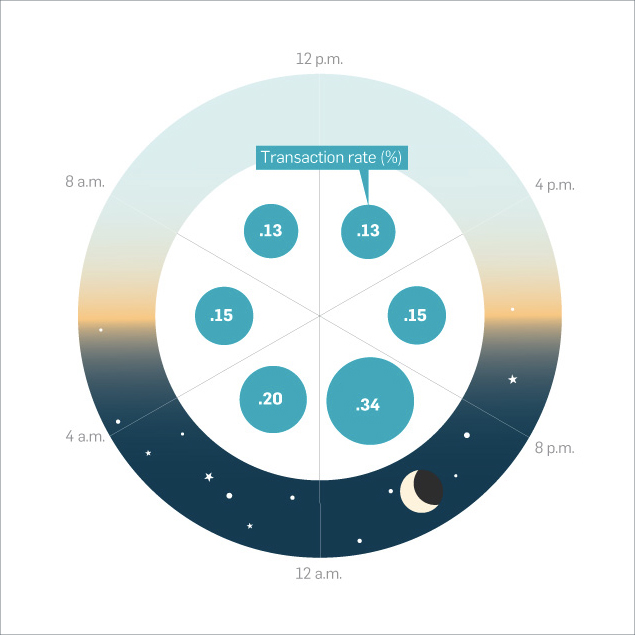
Infographic credit: AdWeek Infographic based on Experian study

What are the best days and times to send your email marketing campaigns?

According to research from an Experian email marketing benchmark study, the best open rates tend to be in the evenings Tuesday though Thursday, but these are only general guidelines. When working with our client’s specific email lists we test different times and compare open rates. But if there is a call to action including a phone number to make an appointment we won’t send an email after closing time. For example, one of our clients best open and interaction rates comes with launch at 8pm, but the campaigns generate phone calls, and they are closed at 8pm, and so they can’t launch most campaigns at the peek time. So as with so many things in life, there’s no clear-cut answer–“It depends!”

From the study: “…recipients are surprisingly active late at night. Unique open rates averaged 21.7 percent from 8 pm to 11:59 pm and 17.6 percent for 12 am to 4 am. Moreover, this late-night group was more likely to click through, with open rates of 4.2 percent and 3.2 percent, respectively. These night owls also had the highest click-through rates for all times of the day. Revenue per email was also the highest in the 8 pm to 11:59 pm group. Additionally, more than 54 percent of emails are now opened on a mobile device.


GOOGLE MY BUSINESS LISTINGS

+ Free ad from Google!*

Google My Business Listings are free and an essential component of any modern company’s online marketing.

  • Being listed gives you a boost in organic (un-paid-for) search results and therefore leads to more traffic.
  • You can set up multiple service areas if you have more than one location so your customer sees the closest location when they look for you.
  • Connects directly to Google Maps so your customers can easily find your location on their mobile devices.
  • Makes it easy for your customers to leave reviews for your business.
  • Adds credibility to your business when your business is properly listed, with hours, photos, videos, service descriptions, etc.

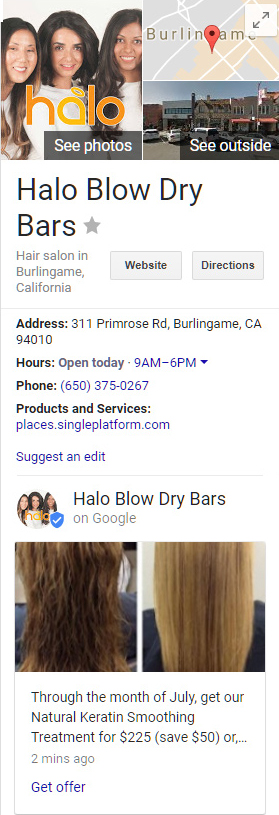
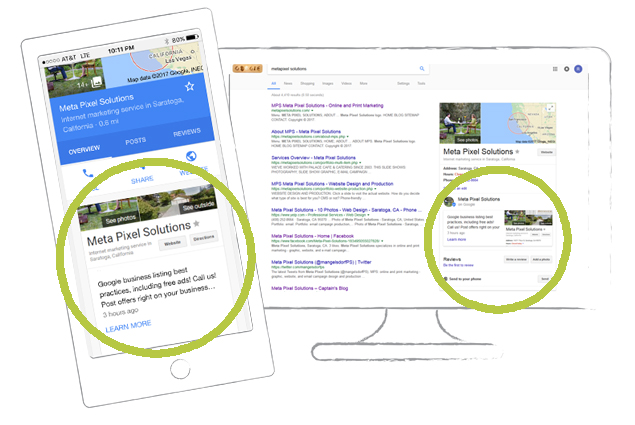
Google My Business Listings show on the right side of a Google search engine page.  Please see the sample listing For Halo Blow Dry Bars.

*Now, Google is offering a free ad posts which shows within your listing.  Please see the Keratin ad on the sample listing.

Ads can be up to 300 words, include a graphic, and a call to action: “Learn more,” “Reserve,” “Sign up,” “Buy” or “Get offer.”

Ads are designed to be dropped from the listing after one week, but if you want an ad to run continually, we’ve got a work-around to do so.

We manage the Google My Business Listings for several clients and are contacting them about adding a promotion.

Please contact John to set up your business listing – or to add one of these new promotional resources to your existing listing.


OUT TO PASTURE!

Our Non-responsive Websites

We love the websites we have worked on and maintained through the years. And we are grateful for all our clients who trust us with their website projects. But, as there’s no need for a portfolio to contain non-responsive sites anymore, and even although these sites are still working for our clients, we are moving non-responsive sites from our website portfolio to this post for posterity. So even though these websites are still working for our clients (some for over a decade, wow!), we need our portfolio to show sites which work on mobile devices.

Here they are, likely our final non-responsive website projects:

hubbardgodfrey.com

Built in 2007.  We love that when we visit AT&T Park, we see their work.

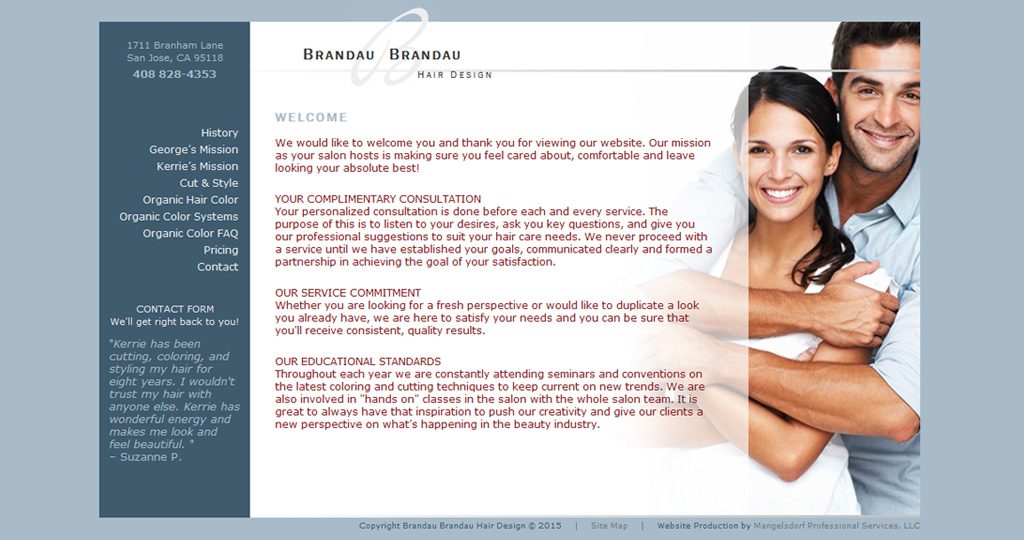
brandaubrandau.com

Built in 2007.  George and Kerrie are the best cut and color team out there!

donnadesmond.com

We started working with Donna in 2013.  We still love the look of this site.

Homeowner Association Websites

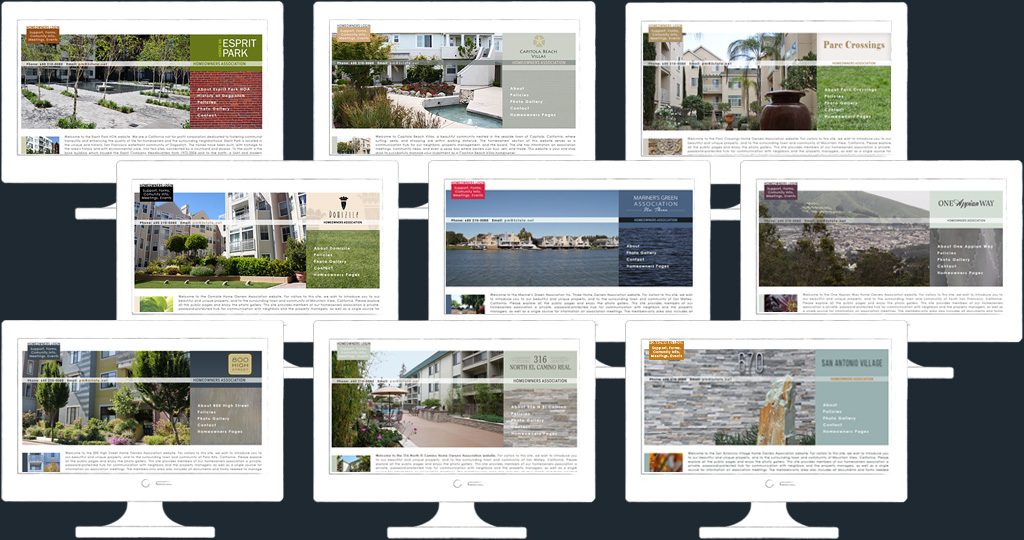
These sites follow the same template so the property management company can offer their HOA clients sites at a lower cost, have site samples to demo as a sales pitch, and simplify the development process.  Each site has a password-protected area for HOA members with an events calendar, group e-mail and messengering, work-order forms, HOA policies, board meeting information and more.

HOA Websites

earnosethroat-sanramon.com

Made in 2011.

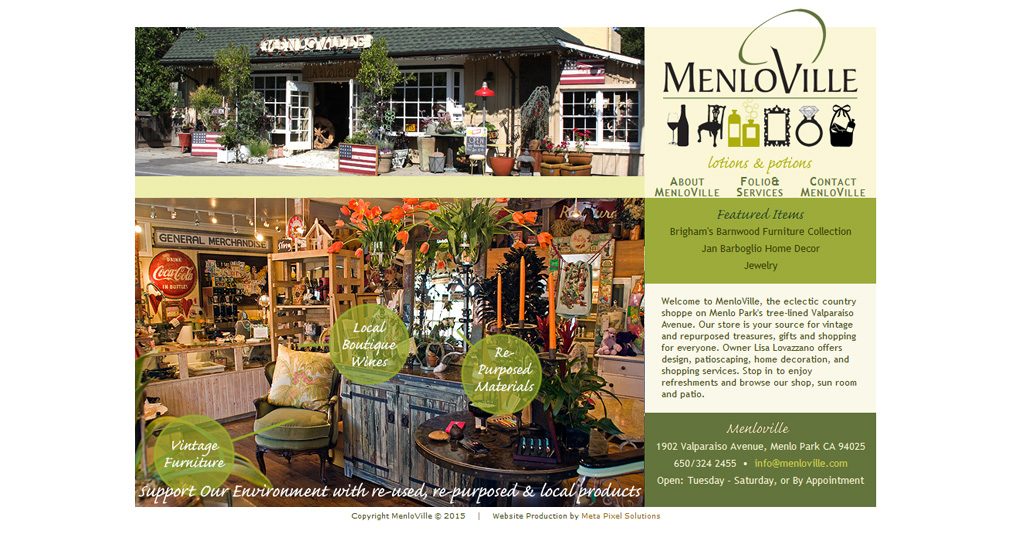
menloville.com

Another ten year old site going strong!

hpdpublicrelations.com

Running since 2012.

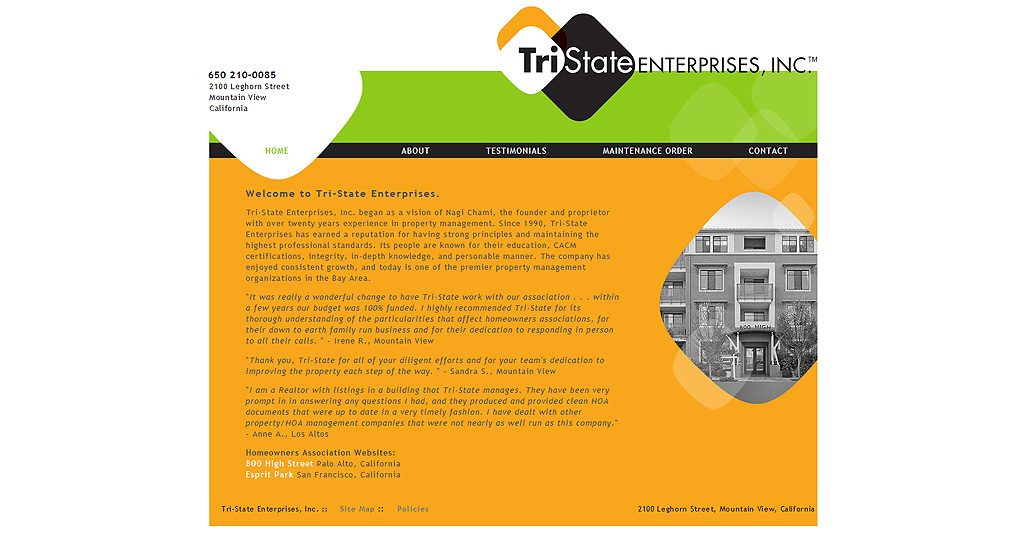
3state.net

Built in 2008.

Save

Save


A MOST DELICIOUS PROJECT

Artisan Macarons

Thank you, HPD Public Relations, for introducing us to Chef Alex and Artisan Macaron. It’s been a fun project, and a tasty one because you gave us samples too!

Artisan Macaron needed some brand standards, so we started with new fonts, and finalized colors for print and web.  Moving forward, they have a brand package, so all designers and employees have access to the same branding elements for cohesive marketing collateral.

New Fonts


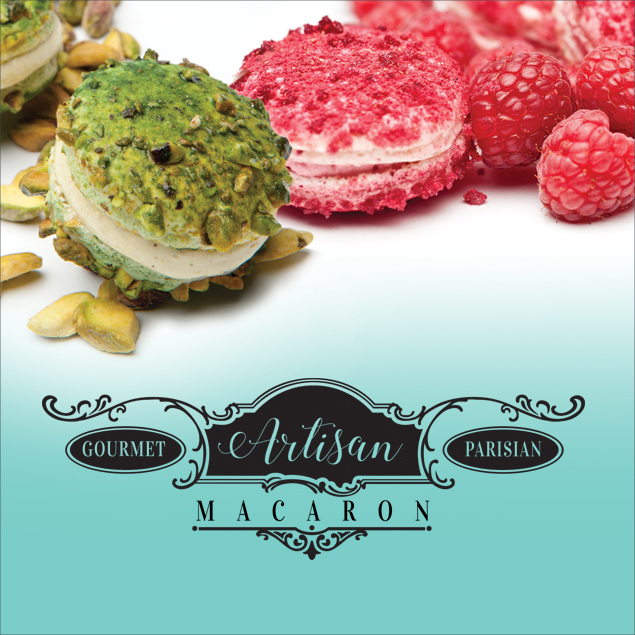
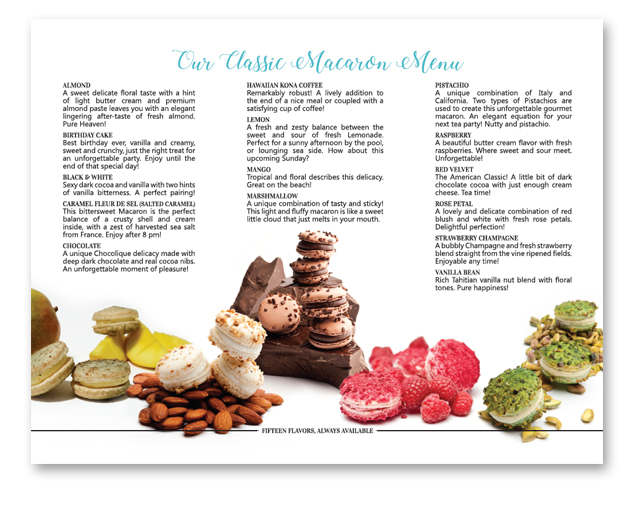
We made new business cards, special offer folded mini-tent cards, a tri-fold brochure, and two large banners.  My favorite part of this project was combining photos of individual macaron vignettes into collages making them look like they were all photographed together.  The collage for the tent cards is in the header above, and this is the inside of their new tri-fold brochure:

Macaron MenuIs your mouth watering yet?  (The salted caramel is to die for! This from someone tiring of this food trend, but Chef Alex knows how to get that perfect caramel bittersweet taste.  Naturally [wink!], I had to sample many macarons during the design process.)

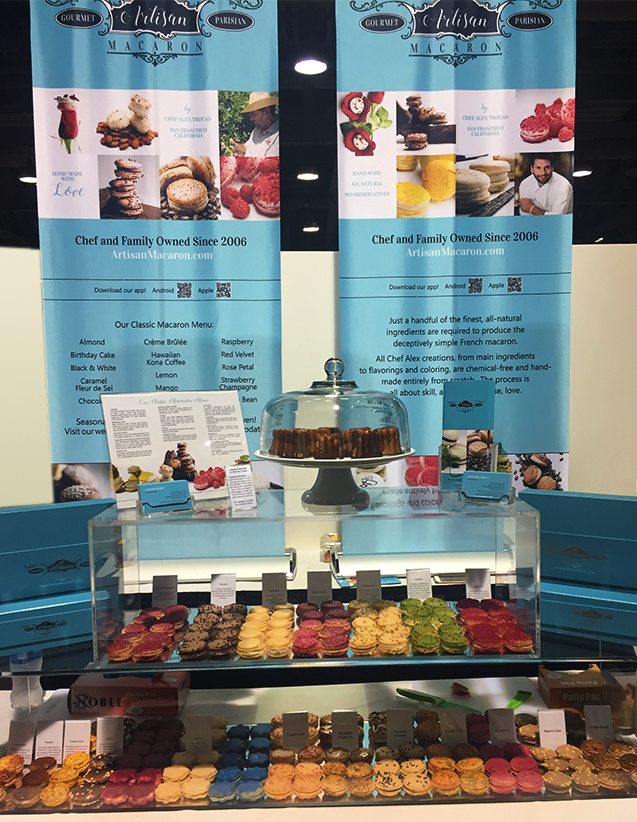
All brand ingredients came together last weekend at a trade show in Long Beach (under the professional eye of Hope Daly, PR Queen.)  We heard all the new items looked great.

Trade Show Display

Save

Save

Save

Save

WEDDINGS

Wedding Photography

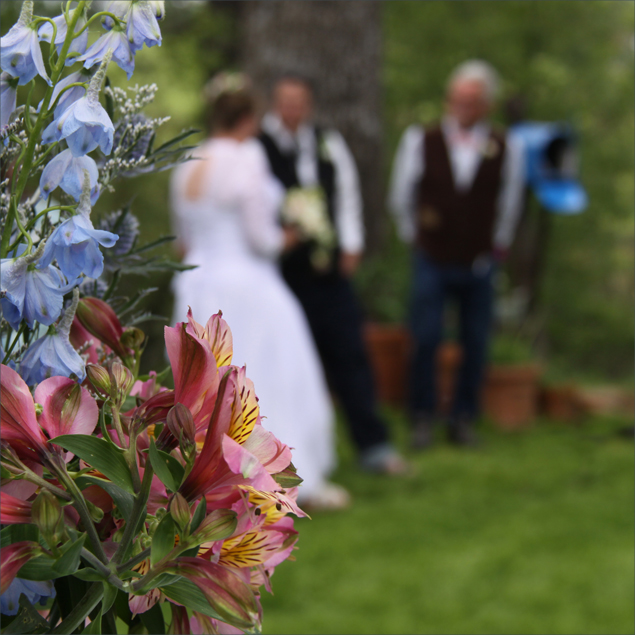
Wedding photography is not a service we offer, although we’ve enjoyed doing it for friends, like this recent wedding at Slate Creek Goat Farm in El Dorado Hills.  Our album uses photos we both took.

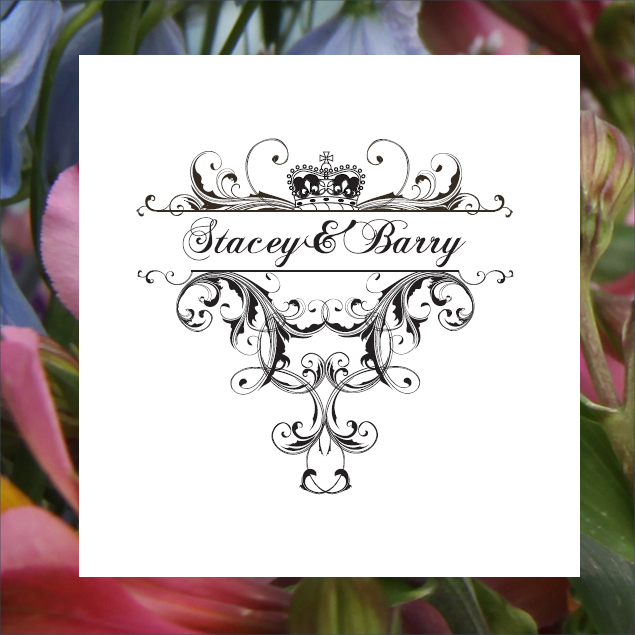
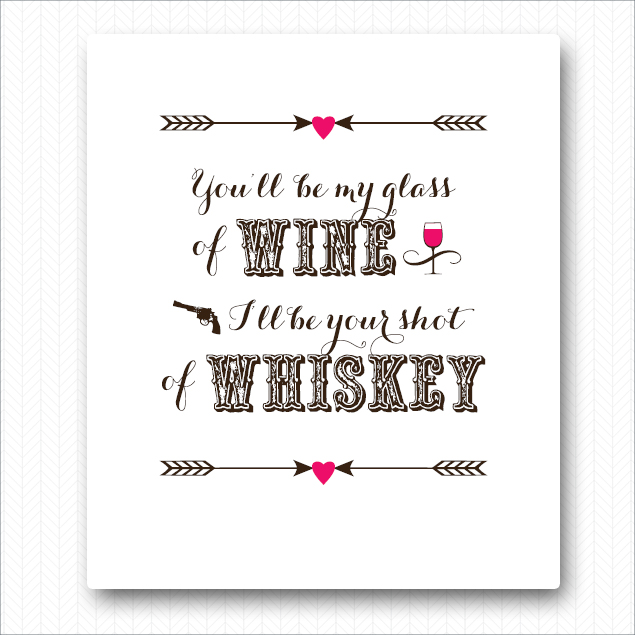
One wedding service we offer – and love to do – is signage for the event.

Signage for a wedding in Scotland:

Signage for Santa Cruz Mountain wedding:

Save

Save

Save

CUSTOM PHOTOGRAPHY

Custom Food Photography

Love it when I am able to create my own photo to fit with a design. So much nicer than searching for stock photos and then trying to customize them.

For these food still-life shots, I knew what colours, what layout, and what vibe I wanted for the brand and shot it with food found in the house and garden.

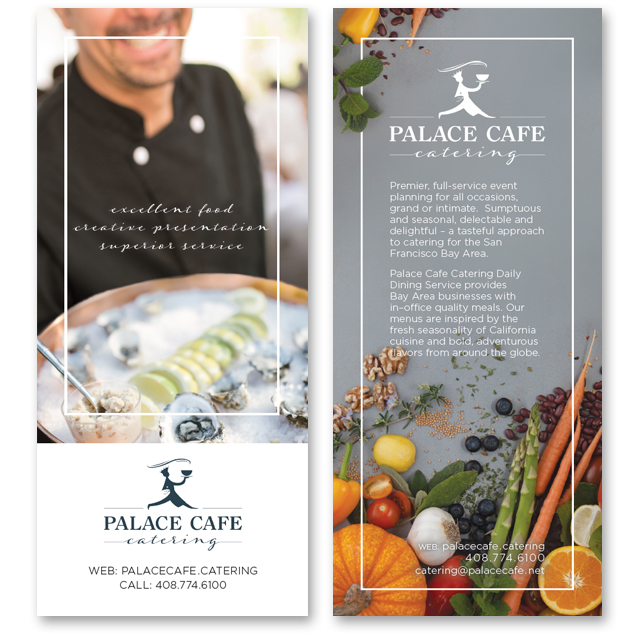
Here’s the final rack card:

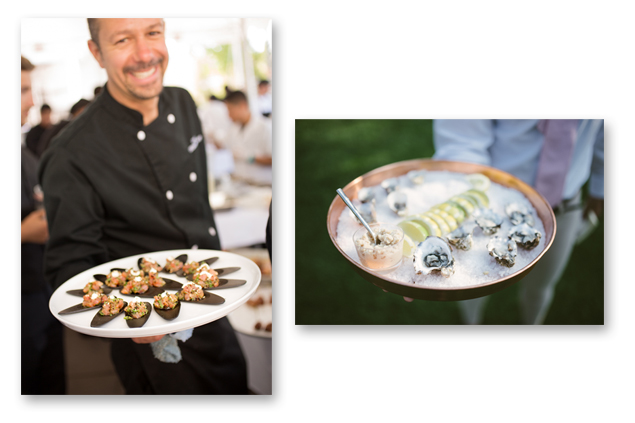
The image on the front is a mix of photos taken at events catered by Palace Cafe Catering. It’s the same image you can see in a magazine ad in this post, “Catering Company Re-Brand.”  Photographers: Michelle Walker Photography and Michael James Buchanan.

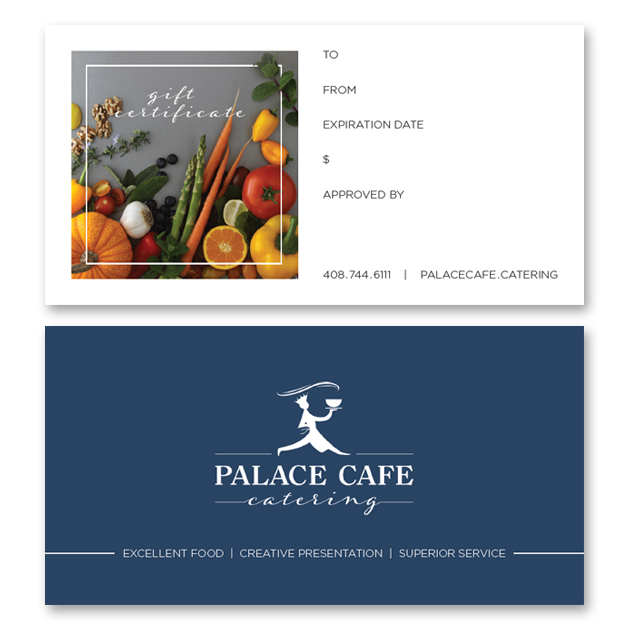
And here’s the gift certificate:

Thank you, Palace Cafe Catering, for working with us on your new branding. It’s been a special experience.

Save

Save