MAIL LIST MANAGEMENT FAQ

Mail List Management FAQs

2025 – update. Very little of this info has changed since we first published this in 2017, so with a few edits, here’s updated info.

The answers below assume you are using one of the main email service providers. (Other than MailChimp as their list management is a struggle and contrary to the way our clients work.)

Q.
If the same e-mail address is on several lists in my account, will that person receive the e-mail campaign more than once?

A.
Short answer, no.

The service provider catches duplications and only sends the campaign to each address once. For example, say you have three lists in your account: Peninsula Clients, Marin Clients, and South Bay Clients. And Maggie Jones with address mj@gmail.com has visited your locations in San Jose and Palo Alto and so is on two lists. If you select all three of your lists to which to send an e-mail, the service provider will catch this and send only one to mj@gmail.com.

Q.
How do I get addresses to you to add to my account?

A.
You’ll need to export them from your internal system or database and send to us, usually as an Excel or .csv file attached to an e-mail. All databases, whether MicroSoft Outlook, gmail contacts, your POS system, etc, have a feature to export. Occasionally John visits a client to train them on how to export, but usually a few minutes Googling “export + your database type” gives adequate direction.

We prefer to work with an Excel doc. But we have also received email lists as pdfs, hand-written addresses, and Word docs.

It is important to name the file to send to us uniquely and logically. For example, if the list is all clients, be sure to name it so – “acme-co-all-clients-022117.xls”, or if it’s just your VIP clients, “acme-co-vip-022117”. Including the date is also a good way to track the file in case we need to troubleshoot in the future.

Even more important, if you have more than one list in your account, be sure to communicate clearly to which list we are adding these new addresses.

Q.
How do I prevent an unsubscribed person from receiving mail from me?

A.
That’s one of the great things about e-mail service providers. Once a person is marked as unsubscribed, there’s no way that account will send to that address. Even if that same address is added to the account manually or through an upload, it will be blocked.

Q.
Can I log onto my account and edit lists myself?

A.
Any time. We don’t own your account; you do. We’ll be happy to point you in the right direction to handle your own list management if you like. For example, some of our clients save by manually updating unsubscribes who have reached out to them directly instead of clicking the required unsubscribe button.

Q.
I have a question regarding mail list management which is not answered here.

A.
E-mail John!

WHY WE DON’T RECOMMEND MAILCHIMP

Gibbon Because We Don't Have a Photo of a Chimp(Yes, we know this is a photo of a gibbon yawning, not a chimp delivering mail – it’s all we have in our library primate-wise as we have not taken a photo of a postal chimp, although we’d be excited to do so.)

2025 update – we have one client on MailChimp, and can confirm from recent experiences that it remains the worst interface and requires arduous researching through their “help” sections rather than making their process intuitive and in line with the way small businesses work.

This was the situation back in 2016: We use MailChimp for a few clients and we find it to be the most difficult interface and address list management system of the e-mail campaign providers with which we have experience.

ONE – they don’t offer phone support.

TWO – Choosing the address list to whom the e-mail goes at step one instead of at the end of the development process causes problems and is contrary to the way our clients like to work.

THREE – They don’t have seed lists for testing.  This is a development issue for us, and does not affect our clients except for a bit of time added to the process, which adds to the cost to the project.

FOUR – The same address on several lists counts multiple times towards your monthly plan, so you can spend far more than is needed for your subscription.

FIVE – MC does not offer “pay-as-you-go” as an option – monthly subscription only.  You pay, even if you don’t send any e-mails.

SIX – Customization of address sign-up forms can only be done with a higher-priced account.

SEVEN – Sign-up forms that can be coded to recognize list segmentation can be done only on pop-up pages, but not for embedded forms (which is pretty much the only way people do e-mail list sign-up forms now.)

EIGHT – The biggie – they don’t allow a campaign to be sent to more than one list.  The best practice for managing lists in MailChimp is to have one list, which is divided into groups and segments.  Our clients find it confusing (actually we find it confusing at times), as well as cumbersome, non-intuitive, and time-wasting.


If you are interested, there’s more below on MC’s address list management.  But we don’t want to simply focus upon the negative and what we don’t recommend.  We do recommend using Constant Contact (although it’s far from perfect).  The phone response is good – customer support reps who know the product and are helpful.  And the list management is far simpler.  You can have as many lists as you want and get to select the ones you want each campaign to launch to.  Unsubscribes and bounces are well-managed at the account level, rather than the list level, which protects you from higher prices and grumpy customers and keeps you compliant with spam laws.


So, back to MC’s list management issues caused by not allowing a campaign be sent to more than one list:

  • Unsubscribes are managed by individual list, rather than at the account level.  So if you have more than one list, and a recipient unsubscribes from one list, it’s not recorded in any other list, so you can e-mail to an address of someone who already unsubscribed.
  • Because there’s no connectivity between lists, if a client changes their settings in one list, it won’t be recognized by any other instances of that e-mail address in other lists.
  • If you wish to send an e-mail to separate lists, you need to duplicate the e-mail over and over, sending one e-mail launch per mail list.  If there are duplicated addresses in your account, you will be sending the same campaign to these addresses.  One of our clients is doing this, and are getting complaints from clients.


We know this is confusing.  Send us a line with questions, or call 408 252-8664.

Save

Save

Save

Save

E-MAILS WORKING FOR OUR CLIENTS

E-mail Campaign Design

(2025 review – funny how so much has changed since this 2015 post and how much remains the same.)

There are many ways to approach e-mail campaign development and production. We’ve narrowed it down to three options to cover all our clients’ budgets and all the devices out there.

We also include enhancements to our e-mail campaign services that our competitors skip. We usually do all the graphics and copywriting. For each campaign, we also produce a web page version which our clients use as landing pages for online ads or social media posts. A week after launch, we provide a free report on the campaign’s success.

And finally, because we don’t like to just do a one-off campaign with a short lifespan of value, we add the web page version to our client’s site on a news archive page so all that work put into making the e-mail campaign continues to pay off as a boost to site search engine optimization and additional information for site visitors to enjoy.

Reporting shows that around 55% of all our clients’ e-mail campaigns are being viewed on smartphones. This is a higher percentage for retail businesses and a lower percentage for B2B and service businesses. Because of this, the non-responsive e-mail campaign designs we were doing just a few years ago were dropped – a business’ e-mail must be readable and actionable on a smartphone.

Here’s what is working for our clients right now:

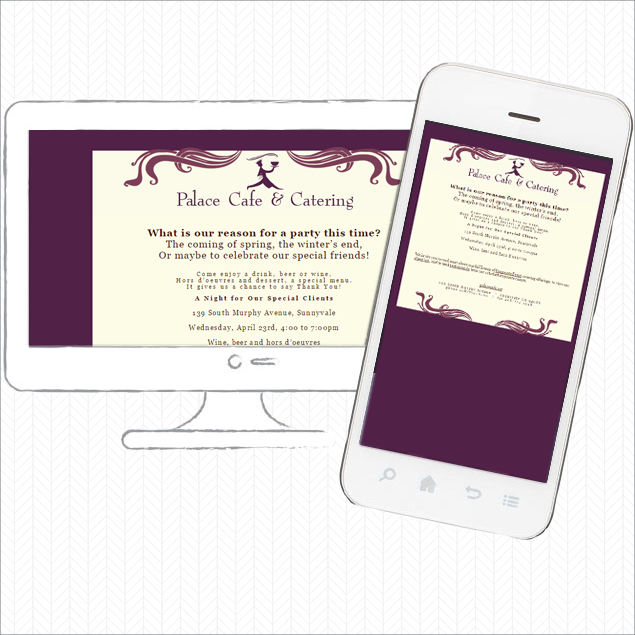
Mobile-friendly campaigns render cleanly, but not responsively, on all devices from smartphone (landscape and portrait) to desktop computer. These are the lowest priced options since they do not need complex responsive code or an e-mail campaign platform’s design interface.

They work well on all devices and on a smartphone do not require pinching or side-scrolling.

Here’s a mobile friendly e-mail campaign.

Mobile Friendly E-mail Campaign

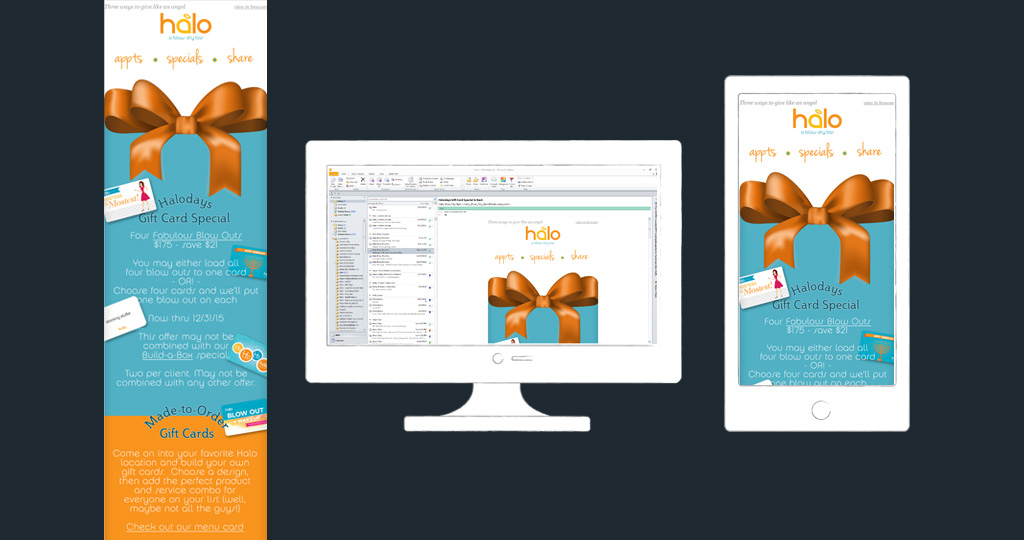
Responsive e-mail campaigns render the same code/design on any device. For these, we use a template provided by an e-mail campaign service provider, but prevent them from looking “from a box” with custom graphics.

Different e-mail campaign providers vary in quality and services. We like Vertical Response the best for its same-time-zone customer support and list management features, which we find to be the most adaptable to split-list campaigns and the way our clients wish to manage lists. However we have been recently surprised and pleased with how Constant Contact has improved – no more phone-tree nightmares when calling for support and great reporting. Of the main providers, MailChimp is our least favorite as the list management is non-flexible and there’s no phone support.

Here’s a sample of one of our responsive e-mail campaigns, produced through Constant Contact.

Responsive E-mail Design

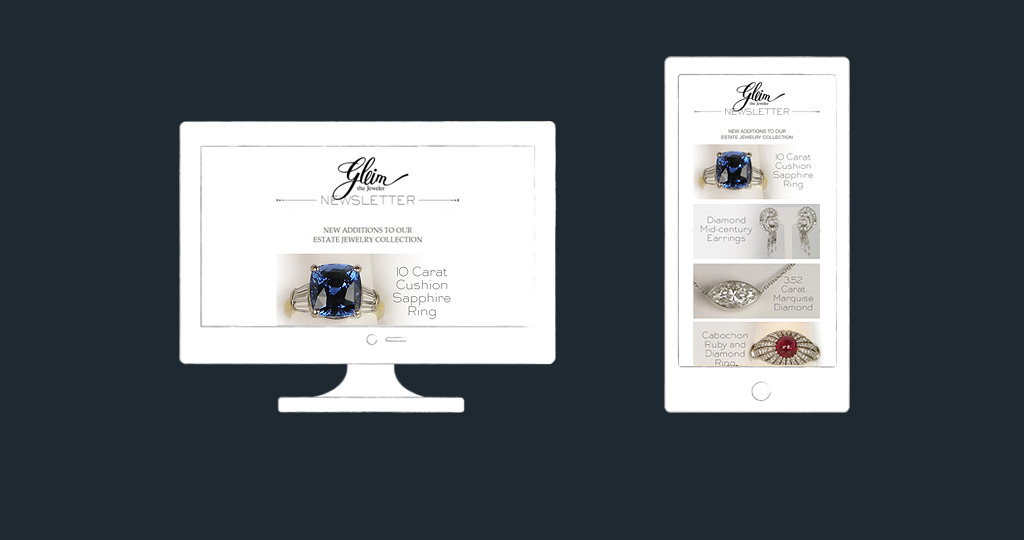
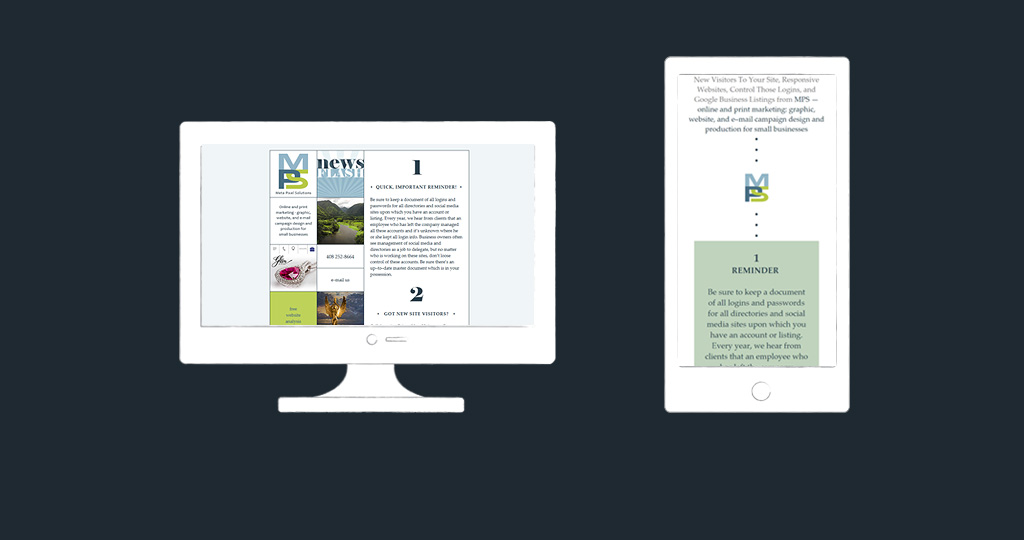
Custom, responsive e-mail campaigns require a lot of work. Two versions of each campaign are produced: a desktop version and a smartphone version. These are the best looking and performing types of e-mails as the design is specific to the device.

Our company campaigns are coded in this way.

Custom Responsive E-mail Design

We work closely with our clients to make sure we are providing the best fit for their needs, and their budgets.

Our e-mail campaign portfolio.